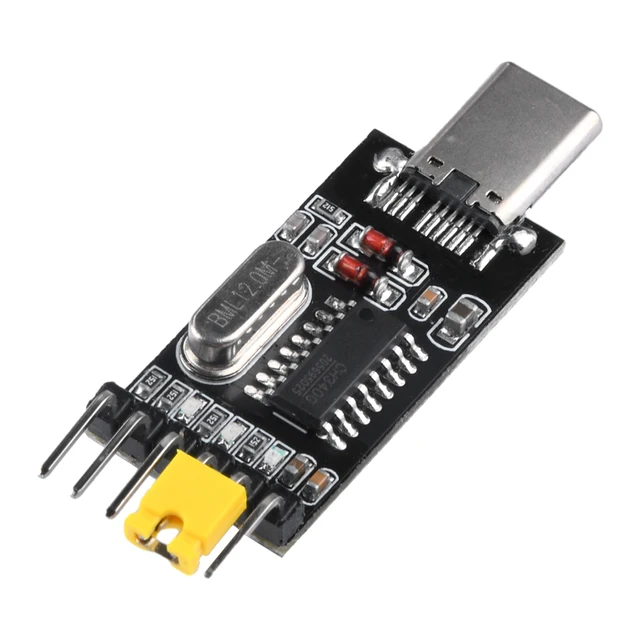
CH340 Type-C Port to TTL-OTG Serial Port Module
In Stock
Categories: Programmers
Overview
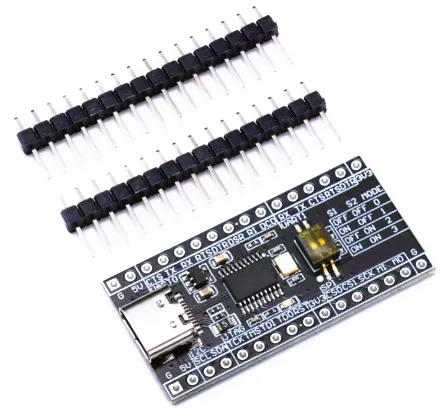
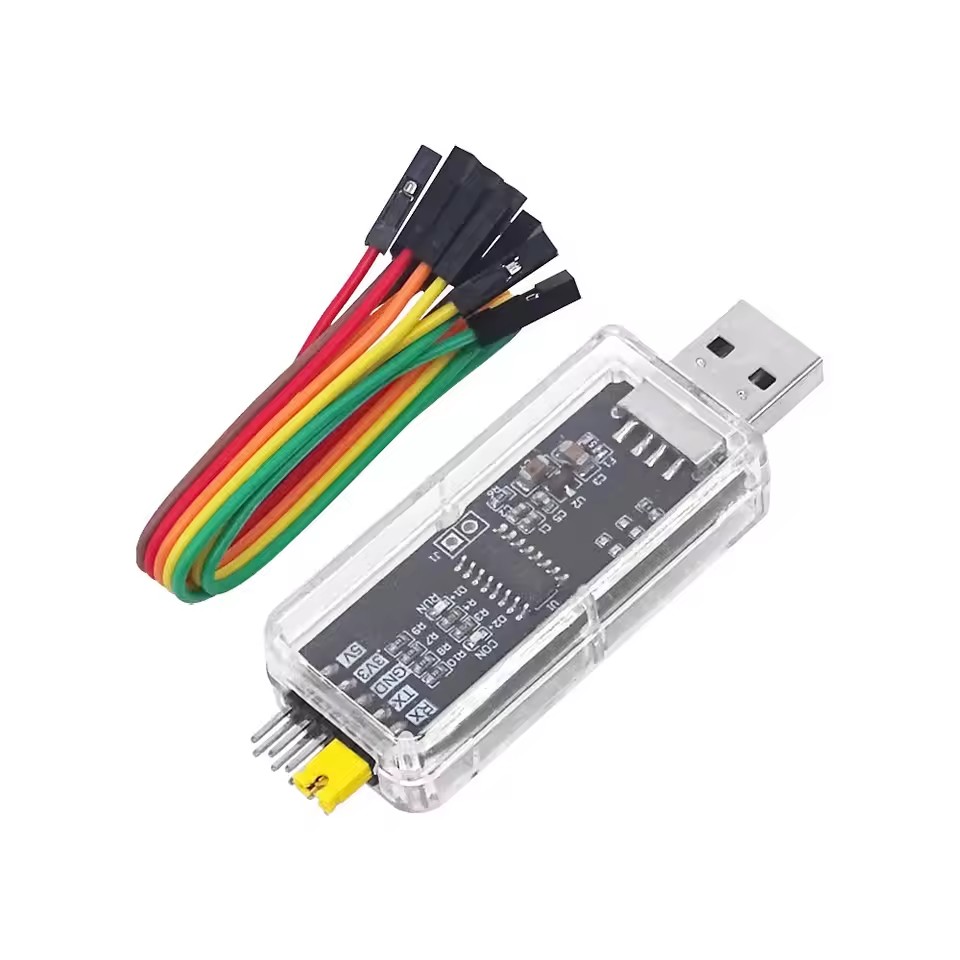
✅ USB Type-C to TTL Serial Conversion – Connects modern Android phones (with OTG support) to serial devices (3.3V or 5V TTL). ✅ CH340G Chipset – Stable and widely compatible with Windows, Linux, Android, and macOS (drivers required). ✅ Supports Multiple Baud Rates – From 300 bps up to 2Mbps for flexible communication. ✅ Built-in Voltage Protection – Prevents damage to connected devices with reverse polarity and overvoltage protection. ✅ Plug-and-Play – No external power needed (draws power from USB OTG). ✅ 4-Pin TTL Interface – Includes TX, RX, GND, and VCC (3.3V/5V selectable) pins for easy wiring. ✅ LED Indicators – TX/RX activity LEDs for real-time monitoring. ✅ Compact & Portable – Lightweight design for fieldwork and on-the-go debugging.
Compatibility✔ Android Phones – Works with USB OTG-supported devices (Android 4.0+). ✔ Microcontrollers – Arduino, ESP8266, ESP32, Raspberry Pi, STM8/STM32, and more. ✔ Industrial Devices – PLCs, CNC machines, GPS modules, and legacy serial equipment. ✔ OS Support – Windows (CH340 driver needed), Linux (built-in), macOS (driver required).
Applications-
Firmware Flashing & Debugging – Upload code to MCUs without a PC.
-
IoT & Embedded Projects – Serial monitoring via Android apps (e.g., Serial USB Terminal).
-
DIY Electronics – Troubleshoot circuits, log sensor data, and control devices.
-
Industrial Automation – Interface with RS232/RS485 devices (with additional converter).
1× USB Type-C to TTL Serial Adapter (CH340 Module)
Description
CH340 Type-C Port to TTL-OTG Serial Port Module
Key Features
✅ USB Type-C to TTL Serial Conversion – Connects modern Android phones (with OTG support) to serial devices (3.3V or 5V TTL). ✅ CH340G Chipset – Stable and widely compatible with Windows, Linux, Android, and macOS (drivers required). ✅ Supports Multiple Baud Rates – From 300 bps up to 2Mbps for flexible communication. ✅ Built-in Voltage Protection – Prevents damage to connected devices with reverse polarity and overvoltage protection. ✅ Plug-and-Play – No external power needed (draws power from USB OTG). ✅ 4-Pin TTL Interface – Includes TX, RX, GND, and VCC (3.3V/5V selectable) pins for easy wiring. ✅ LED Indicators – TX/RX activity LEDs for real-time monitoring. ✅ Compact & Portable – Lightweight design for fieldwork and on-the-go debugging.
Compatibility
✔ Android Phones – Works with USB OTG-supported devices (Android 4.0+). ✔ Microcontrollers – Arduino, ESP8266, ESP32, Raspberry Pi, STM8/STM32, and more. ✔ Industrial Devices – PLCs, CNC machines, GPS modules, and legacy serial equipment. ✔ OS Support – Windows (CH340 driver needed), Linux (built-in), macOS (driver required).
Applications
-
Firmware Flashing & Debugging – Upload code to MCUs without a PC.
-
IoT & Embedded Projects – Serial monitoring via Android apps (e.g., Serial USB Terminal).
-
DIY Electronics – Troubleshoot circuits, log sensor data, and control devices.
-
Industrial Automation – Interface with RS232/RS485 devices (with additional converter).
Package Includes
1× USB Type-C to TTL Serial Adapter (CH340 Module)
How to Use?
-
Enable USB OTG on your Android phone.
-
Connect the adapter to your phone and the target device (TX→RX, RX→TX, GND→GND).
-
Use a serial terminal app (e.g., Serial USB Terminal, ArduinoDroid) to communicate.
-
For PC use, install CH340 drivers (provided via download link).
Note
-
Ensure your Android device supports USB Host Mode (OTG).
-
3.3V/5V logic selection may vary by module version—check jumper settings if available.
Customer Reviews
Based on 0 reviews
0
Verified Purchases
0
Reviews with Photos
0%
Would Recommend
Sign in to write a review
Sign InNo reviews yet
Be the first to review this product.